 WIUNIX ACADEMY
Grow an LVM logical volume and XFS/ext4 filesystem online
Confirm a direct filesystem-to-LV mapping, use existing free VG extents, and grow each layer separately with an absolute target and a clear partial-failure recovery path.
Make this guide yoursYOUR SYSTEM. YOUR STEPS.
Where are you working?
Choose your OS and version. The prerequisites, commands and troubleshooting follow your environment.
USE YOUR OWN VALUES
Configure this tutorial
Set the example values for your environment; related explanations and copy panels update together. Never enter passwords, private keys or tokens. Values stay in this tab and are not sent to the server or share links. Check actual DNS, certificates and network policy before running commands.
Different IP addresses, domains or ports? Open the settings below, change the values and select “Apply to tutorial”, then copy the updated commands.
Set values for my environment3 editable values
THE OUTCOME
What will you have at the end?
Confirm a direct filesystem-to-LV mapping, use existing free VG extents, and grow each layer separately with an absolute target and a clear partial-failure recovery path.
Supported operating systems and versions
Documented tools and online growth for Ubuntu 26.10/26.04/24.04, Debian 13/12, RHEL/Rocky/AlmaLinux 10/9 and Arch/Manjaro rolling, reviewed 2026-11-05. Existing active linear LV/free VG extents required; no executed resize matrix is claimed.
Before you begin
- A Linux host with Bash/authorized sudo and one active ordinary linear LV directly backing a writable XFS or ext4 mount.
- A local non-shared VG already has sufficient free extents; no concurrent mount or storage-layout changes.
- An application-consistent data backup outside the affected filesystem, a known restore destination, an agreed change window and application health check.
- lvm2, xfsprogs, e2fsprogs, util-linux and coreutils packages compatible with the installed kernel/filesystem.
Grow the right layer, rather than treating every full disk alike
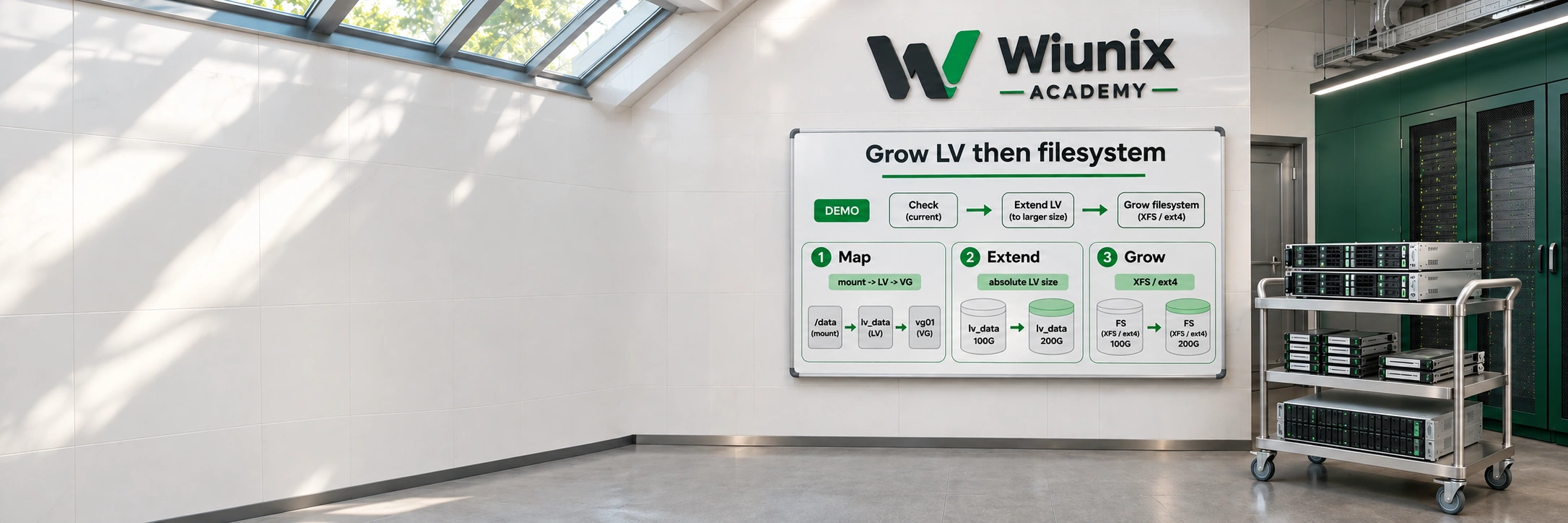
A larger logical volume does not automatically make the mounted filesystem larger. We trace the mount to one existing LV, confirm that its VG already owns free extents, extend that LV to a reviewed final size, and grow the correct filesystem. Both layers need separate verification.
Physical volumes supply capacity to a volume group; a logical volume receives part of that pool. Extents are LVM's allocation units. The filesystem sits on the LV and must separately incorporate the new device capacity, which is why LV bytes and mounted filesystem space are checked independently.
This procedure covers an active, writable, ordinary linear LV with one directly mounted XFS or ext4 filesystem on a single Linux host. It excludes thin pools, snapshots and origins, RAID/striped/cache/VDO layouts, clustered/shared VGs, intervening LUKS or partitions, bind/multiple mounts, external XFS log/realtime devices and filesystem repairs. Do not adapt a failed guard into a different storage design during an incident.
If the symptom is a full filesystem, first distinguish block capacity, inode exhaustion, deleted-open files and an application quota. The related disk-full guide covers that diagnosis. Here the decision to add capacity has already been approved; adding a PV, growing a partition, or changing a cloud volume belongs to a separate storage change.
Choose a final size and an application-consistent backup
Open the example-values form and apply the exact existing mountpoint, its LV path and the approved final size in GiB. The sample 20 GiB is not an instruction to add 20 GiB. The bounded example accepts 1–1024 GiB; LVM rounds the final target up to a whole physical extent. Stop if that target is below the present LV size.
Before a write, confirm a recoverable application-consistent data backup outside the affected filesystem and its restore destination. An LVM metadata copy is not a copy of files or database contents. A snapshot in the same VG is not an independent failure-domain backup and is outside this recipe.
Agree the maintenance window, application checks, reserved VG headroom and who will handle failure. Online means mounted growth is supported; it does not promise zero latency or remove backup requirements. Values remain in this tutorial tab for the selected environment; never place secrets here.
LET’S BUILD
Check this host and its actual storage tools
Work in an authorized Bash shell on the host that owns this mount, not inside an unrelated container or rescue image with a different mount namespace. Record the installed kernel and package builds. lvm2 provides the LV commands, xfsprogs the XFS utilities, e2fsprogs the ext4 utilities, and util-linux/coreutils the mount/device inspection tools.
Use the selected distribution’s package query below. The command lookup runs with the same sudo environment used for privileged storage commands, so a missing root-only executable is not confused with a user PATH omission.
Use the official repositories for this Ubuntu or Debian release. Debian 12 is in LTS with architecture/package-specific coverage. Existing activation and AppArmor policy remain unchanged.
Same Bash shell on the approved storage host
cat /etc/os-release
uname -r
bash --version
dpkg-query -W lvm2 xfsprogs e2fsprogs util-linux coreutils
sudo sh -c 'command -v lvs vgs lvextend vgcfgbackup xfs_growfs xfs_info resize2fs findmnt lsblk blockdev readlink awk sort tr mktemp tee'
sudo lvm versionThe selected host and installed tools are identified; a missing package or different namespace stops preparation.
LET’S BUILD
Prepare missing tools only in an approved package change
Skip this panel when the tools already exist. Otherwise inspect and approve the package manager’s proposed transaction in a suitable maintenance window. Use only the active official repositories for this exact distribution/release. Installing packages can trigger package-owned hooks or units; do not treat it as a read-only incident diagnostic.
Do not start a new LVM daemon, activate another VG, change a devices file/filter or replace the existing activation/monitoring policy for this guide. The already active LV is a prerequisite. SELinux/AppArmor and device permissions remain enforced; solve a specific denial with the host owner instead of switching them off.
Same Bash shell on the approved storage host
sudo apt-get update
sudo apt-get install lvm2 xfsprogs e2fsprogs util-linux coreutils
sudo sh -c 'command -v lvs vgs lvextend vgcfgbackup xfs_growfs resize2fs findmnt blockdev'The required commands are available through the selected distribution’s supported packages; no storage activation policy was changed.
LET’S BUILD
Read the mount, LV layout and VG capacity together
Inspect the exact mountpoint and follow its source through the block-device tree. The LV may appear under a mapper name while the form uses its VG/LV alias; these names must resolve to the same device. Read every LVM warning and stop for missing PVs, partial/inconsistent metadata or unhealthy storage before growing anything.
VG free space is space already assigned to physical volumes in this VG but not allocated to an LV. Filesystem free space is a different number. A larger provider disk or unused partition space does not appear as VG extents until a separate approved lower-layer change is complete. Do not use all free extents simply because they exist.
Same Bash shell on the approved storage host
findmnt --mountpoint '/srv/data' -o TARGET,SOURCE,FSTYPE,FSROOT,OPTIONS
sudo lvs --segments -o lv_path,lv_attr,segtype,lv_size,vg_name,lv_health_status,devices '/dev/vg_data/lv_data'
sudo vgs -o vg_name,vg_attr,vg_size,vg_free,vg_extent_size,vg_free_count
lsblk -o NAME,TYPE,FSTYPE,SIZE,MOUNTPOINTS
df -hT -- '/srv/data'
df -i -- '/srv/data'One directly mounted filesystem, one ordinary healthy linear LV and its owning VG are identified; unsupported layers or no VG headroom stop this change.
LET’S BUILD
Inspect filesystem features and geometry before changing capacity
For XFS, inspect the current geometry and the no-change growfs check. Require an internal log and no separate realtime-device topology for this simple path. Stop for an external log or realtime device. The -n option does not grow anything; it checks arguments and prints geometry.
For ext4, read the existing superblock/features only. This is not an offline consistency check or full health certificate. Resolve metadata or I/O errors with the storage owner before growth. The panel selects one read-only branch from the mounted type; the next step still has to prove the exact LV-to-mount mapping.
Same Bash shell on the approved storage host
fs=$(findmnt -rn --mountpoint '/srv/data' -o FSTYPE) || exit 1
case "$fs" in
    xfs) sudo xfs_info '/srv/data' || exit 1
         sudo xfs_growfs -n '/srv/data' || exit 1 ;;
    ext4) sudo dumpe2fs -h '/dev/vg_data/lv_data' || exit 1 ;;
    *) printf '%s\n' 'STOP: this guide requires XFS or ext4.'; exit 1 ;;
esacFilesystem features/topology are known; external XFS devices or unresolved errors stop the change before any growth.