 WIUNIX ACADEMY
Atomic nftables changes: rehearse timeout rollback before risking remote access
Use two isolated network namespaces to apply a valid but wrong policy, then restore one owned table with a detached timeout and explicit recovery checks.
Make this guide yoursYOUR SYSTEM. YOUR STEPS.
Where are you working?
Choose your OS and version. The prerequisites, commands and troubleshooting follow your environment.
USE YOUR OWN VALUES
Configure this tutorial
Set the example values for your environment; related explanations and copy panels update together. Never enter passwords, private keys or tokens. Values stay in this tab and are not sent to the server or share links. Check actual DNS, certificates and network policy before running commands.
Different IP addresses, domains or ports? Open the settings below, change the values and select “Apply to tutorial”, then copy the updated commands.
Set values for my environment8 editable values
THE OUTCOME
What will you have at the end?
Use two isolated network namespaces to apply a valid but wrong policy, then restore one owned table with a detached timeout and explicit recovery checks.
Supported operating systems and versions
Documentation-reviewed on 2026-11-05 for Ubuntu 26.10/26.04 LTS/24.04 LTS, Debian 13/12, RHEL/Rocky/AlmaLinux 10/9 and rolling Arch/Manjaro. Package names, native persistence paths and firewall-manager ownership differ. All changing panels target a disposable VM and fresh namespaces; no all-OS hands-on result is claimed.
Before you begin
- A disposable lab VM with systemd as PID 1, network namespaces, authorized root access and an accessible host console.
- nft, ip, ping, flock, systemd-run and a configured sudoedit editor; package preparation is a planned lab change.
- Completely unused fixture names and a nonexistent evidence directory; no production service, interface or firewall is a target.
Rehearse loss of access without filtering the host
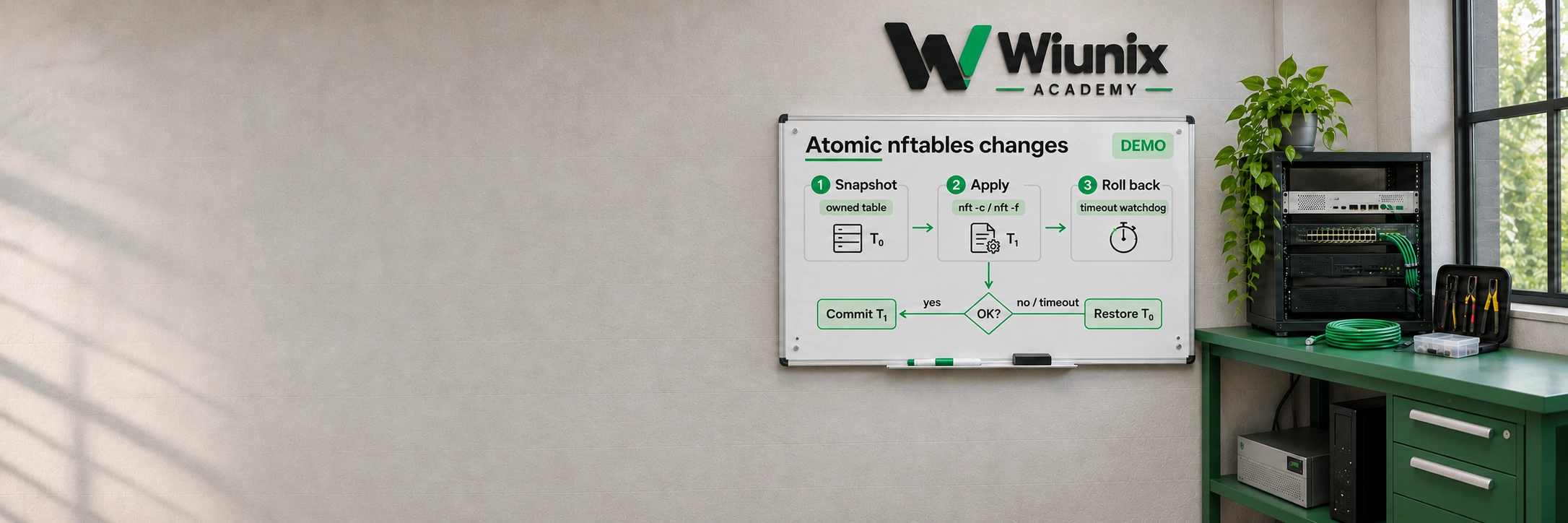
A valid firewall file can still block the operator who loaded it. Atomic loading avoids a half-installed rule sequence; it does not make the intended policy correct. We deliberately block a small lab probe, then let an independently scheduled rollback restore it.
Run this only on a disposable lab VM with authorized root access, systemd and network-namespace support. Two fresh namespaces connect directly through a veth pair; neither receives a default route, NAT or a host-facing interface. Every changing nft invocation targets the server namespace and one exclusively owned table. The host firewall and SSH rules are outside the experiment.
This guide covers change transactions and timed recovery, distinct from Docker/UFW reachability, Fail2ban bans and CrowdSec decisions. It does not provide a production firewall policy or an instruction to migrate a managed host to raw nftables.
Choose unused fixture names and a rollback window
Open the public-values form and choose new names for the two namespaces, table, timer and evidence directory. The example addresses are documentation addresses on one isolated /30. Apply the values before copying; namespace names must differ and both IPs must be distinct usable hosts in the same /30.
The form retains only public values in this tab for this language and environment; no credentials belong here. Pending or invalid edits block copying until Apply or Reset. The delay is 90 seconds, not a hard recovery SLA: a stalled manager, unavailable kernel or failed restore can make it late or unsuccessful. Retain console access to the lab VM.
LET’S BUILD
Check this lab VM’s package family
Rolling path reviewed on 2026-11-05; record installed builds rather than treating an ISO as a fixed release. nftables, iproute2, iputils and util-linux come from this distribution’s own repositories. The native unit normally reads /etc/nftables.conf; inspect its actual behavior. Preparation with -Syu upgrades the complete system and belongs only in a planned lab maintenance window. Do not import Arch packages into Manjaro or change its branch.
Terminal on the disposable lab VM
cat /etc/os-release
uname -r
cat /proc/1/comm
pacman -Q nftables iproute2 iputils util-linux coreutils systemd sudo
sudo sh -c 'command -v nft ip ping flock systemd-run systemctl journalctl sudo sudoedit'
sudo nft --version
systemd --versionThe OS/kernel/systemd/nft builds and required tools are known; missing capability or packages stop preparation.
LET’S BUILD
Optional package preparation on the disposable VM
Skip if tools exist. Review the official-repository transaction, including package-owned unit effects. Do not change firewall-manager ownership or activate a host firewall service for the lab.
Terminal on the disposable lab VM
sudo pacman -Syu nftables iproute2 iputils util-linux coreutils sudo
sudo sh -c 'command -v nft ip ping flock systemd-run sudoedit'Tools resolve after the reviewed transaction; the lab has not activated a host firewall.
LET’S BUILD
Inspect who owns the current host firewall
Read active and installed managers before assuming nftables has a daemon. nft is a command-line loader for kernel rules; an inactive nftables service does not imply an empty firewall. firewalld, UFW, Docker, Fail2ban, CrowdSec and local automation may own different objects or update them later. Rules can reveal private addresses; inspect locally and keep evidence private.
NetworkManager connections can select firewalld zones. Do not change the connection, zone or runtime/permanent policy for this lab. Two accept verdicts in different base chains are not an unconditional global allow: another applicable chain can still drop the packet. Preserve the existing manager’s contract instead of competing with it.
Terminal on the disposable lab VM
systemctl show nftables.service firewalld.service ufw.service docker.service NetworkManager.service fail2ban.service crowdsec.service -p Id -p LoadState -p ActiveState
sudo nft -n list ruleset
systemctl cat nftables.serviceHost rule ownership and the installed nftables unit behavior are understood; nothing is stopped, flushed or reconfigured.
LET’S BUILD
Create two fresh namespaces and their private link
The guard refuses every existing fixture name and the evidence directory. Only after that does it create two namespaces. The veth pair is created inside those namespaces, with fixed local names nfta0 and nftb0; no host interface is moved. Addresses stay on their directly connected /30 and no forwarding setting changes.
Each mutation stops on error. The sequence is not a transaction: a failed later command may leave an empty directory or one namespace. Inspect only the named objects and use the cleanup section after the cause is understood; never delete all namespaces. The first ping must work before any packet filter is loaded.
Terminal on the disposable lab VM
sudo test ! -e '/var/lib/academy-nft-rollback-lab' || exit 1
sudo test ! -e '/run/netns/academy-nft-server' || exit 1
sudo test ! -e '/run/netns/academy-nft-client' || exit 1
test "$(systemctl show -p LoadState --value 'academy-nft-rollback.timer')" = not-found || exit 1
test "$(systemctl show -p LoadState --value 'academy-nft-rollback.service')" = not-found || exit 1
test "$(systemctl show -p LoadState --value 'academy-nft-rollback-rehearsal.timer')" = not-found || exit 1
test "$(systemctl show -p LoadState --value 'academy-nft-rollback-rehearsal.service')" = not-found || exit 1
sudo mkdir -m 0700 -- '/var/lib/academy-nft-rollback-lab' || exit 1
sudo ip netns add 'academy-nft-server' || exit 1
sudo ip netns add 'academy-nft-client' || exit 1
sudo ip -n 'academy-nft-server' link add nfta0 type veth peer name nftb0 netns 'academy-nft-client' || exit 1
sudo ip -n 'academy-nft-server' address add '192.0.2.1/30' dev nfta0 || exit 1
sudo ip -n 'academy-nft-client' address add '192.0.2.2/30' dev nftb0 || exit 1
sudo ip -n 'academy-nft-server' link set lo up || exit 1
sudo ip -n 'academy-nft-client' link set lo up || exit 1
sudo ip -n 'academy-nft-server' link set nfta0 up || exit 1
sudo ip -n 'academy-nft-client' link set nftb0 up || exit 1
sudo ip netns exec 'academy-nft-client' ping -c 2 -W 2 '192.0.2.1' || exit 1
The two isolated namespaces exchange ICMP successfully before the firewall experiment. No host interface or default route was changed.