 WIUNIX ACADEMY
TLS works in one client but fails in another: chain and SNI diagnosis
Verify hostname, server-selected certificate, intermediate delivery and client trust separately, without hiding errors with insecure flags.
Make this guide yoursYOUR SYSTEM. YOUR STEPS.
Where are you working?
Choose your OS and version. The prerequisites, commands and troubleshooting follow your environment.
USE YOUR OWN VALUES
Configure this tutorial
Set the example values for your environment; related explanations and copy panels update together. Never enter passwords, private keys or tokens. Values stay in this tab and are not sent to the server or share links. Check actual DNS, certificates and network policy before running commands.
Different IP addresses, domains or ports? Open the settings below, change the values and select “Apply to tutorial”, then copy the updated commands.
Set values for my environment4 editable values
THE OUTCOME
What will you have at the end?
Verify hostname, server-selected certificate, intermediate delivery and client trust separately, without hiding errors with insecure flags.
Supported operating systems and versions
Primary-documentation review; no production execution or universal installation test is claimed. Examples assume existing tools on Linux and must be adapted to authorized deployment context.
Before you begin
- Authorized operator access, existing tools named in the panels, and a private place to retain diagnostic evidence.
- Use a staging environment or an approved read-only production investigation; review disruptive changes separately.
Transport success is not certificate verification
A successful TCP connection and an encrypted handshake do not establish that the peer is the intended hostname. This workflow separates routing/SNI, leaf identity, chain building and trust-store behavior. Use an endpoint you operate or are authorized to inspect; the sample address is documentation space and must be replaced. The guide is for ordinary server-authenticated HTTPS, not mutual TLS, STARTTLS or a pinning bypass.
LET’S BUILD
Check the selected distribution and required tools first
Run on the authorized diagnostic host or disposable lab VM. Compare the installed OS and required packages below with the selected path. Obtain missing tools from the distribution’s enabled official repositories through your approved package-management process; this workflow does not reinstall an existing server or switch its repository.
Use an entitled RHEL repository or the matching official Rocky Linux/AlmaLinux repositories and a currently supported minor release. SELinux and system crypto policy remain enforced; do not weaken them to make a diagnostic pass.
The selected CA-bundle field makes the distribution trust input explicit for online probes: Debian/Ubuntu use the bundle under /etc/ssl; Red Hat-family systems use /etc/pki. Record curl’s actual TLS backend and the affected application’s trust configuration; Java and containers may use another store.
Inspect the curl executable and its owning package; a valid curl-minimal installation need not be replaced by full curl. Confirm HTTP/HTTPS support in the installed build’s version output.
Authorized terminal on the host identified in this section
cat /etc/os-release
rpm -q openssl ca-certificates coreutils
command -v openssl curl timeout
stat -c '%A %U %G %n' '/etc/pki/tls/certs/ca-bundle.crt'
if command -v curl >/dev/null 2>&1; then
  rpm -qf "$(command -v curl)"
else
  printf '%s\n' 'Required curl executable is missing.'
  exit 1
fiRequired packages and tools are identified; resolve missing tools before continuing.
LET’S BUILD
Record the client context first
Run on the affected Linux workstation. Record the OpenSSL build, system time and curl TLS backend. Different clients may use different trust stores, proxies or validation rules. An obsolete trust bundle and an incorrect clock can mimic a server-chain problem; do not change the system clock merely to make an expired certificate appear valid.
Authorized Linux terminal
date -u +'%Y-%m-%dT%H:%M:%SZ'
openssl version -a
curl --versionThe exact client build, TLS backend and UTC clock are known.
LET’S BUILD
Require both chain and hostname verification
Connect to the chosen IP while sending the actual DNS name as SNI and as the verification identity. The verification-return-error option matters: s_client can otherwise continue after a verification failure. The external timeout bounds the diagnostic. Inspect the verification result and process status rather than treating any printed certificate as success.
This online probe explicitly selects the reviewed CA file; compare the affected application and the isolated offline trust test separately when stores disagree.
Authorized Linux terminal
timeout 15 openssl s_client -connect '203.0.113.10:443' -servername 'app.example.com' -verify_hostname 'app.example.com' -CAfile '/etc/pki/tls/certs/ca-bundle.crt' -verify_return_error -brief </dev/null
printf 's_client exit=%s\n' "$?"The verification succeeds for the named host, or an explicit chain/name/time error and nonzero status identify the next branch. Exit124 means the outer timeout expired.
LET’S BUILD
Keep HTTPS identity while overriding only address selection
This curl probe sends the right Host and SNI and verifies against curl’s configured trust. It bypasses ordinary DNS for one destination without editing hosts files or disabling verification. Use the same TLS port in both resolve mapping and URL. A 401 or 403 still means HTTP was reached; it is not an authentication acceptance test.
Authorized Linux terminal
curl --cacert '/etc/pki/tls/certs/ca-bundle.crt' --noproxy '*' --resolve 'app.example.com:443:203.0.113.10' --connect-timeout 3 --max-time 15 -sS -o /dev/null -w 'HTTP %{http_code} TLSverify=%{ssl_verify_result}\n' 'https://app.example.com:443/'A verified HTTPS response agrees with the strict OpenSSL check; disagreement points to the specific client trust/backend context.
LET’S BUILD
Inspect what the server actually sends
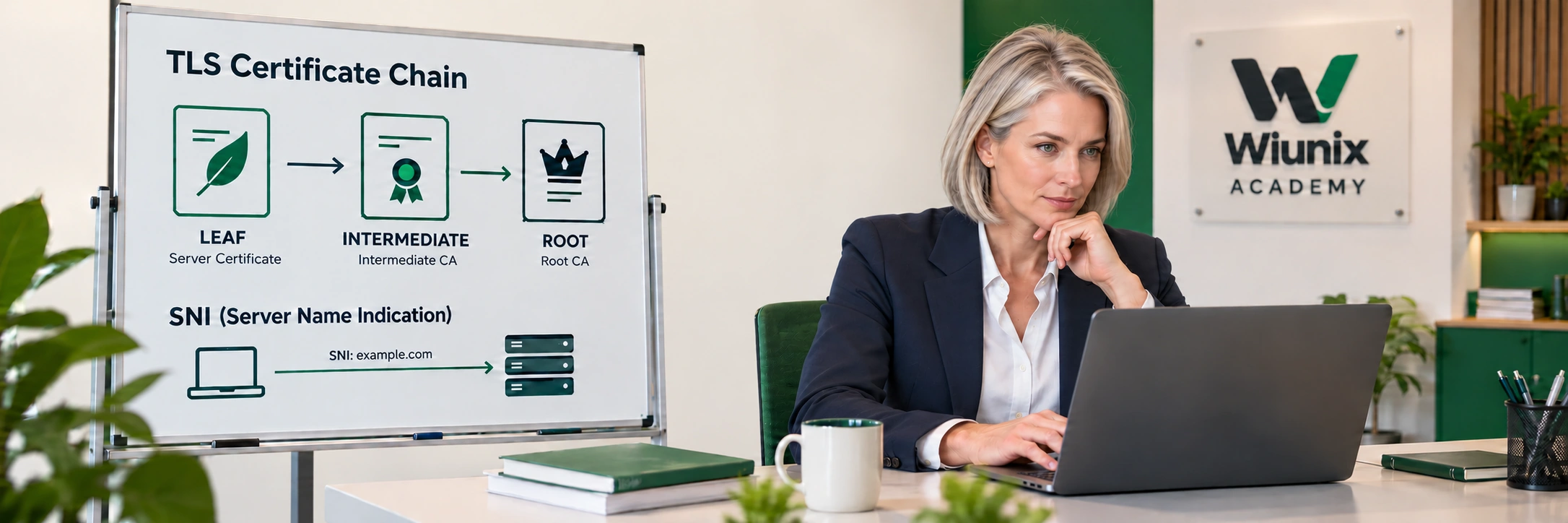
Run this read-only handshake to display the public certificates transmitted by the endpoint. The displayed list is not a verified chain. A server normally sends its leaf and required intermediate certificates; a trusted root usually belongs in the client store and need not be sent. A browser can hide a missing intermediate through cached or fetched issuer material, while a clean API client fails.
Authorized Linux terminal
timeout 15 openssl s_client -connect '203.0.113.10:443' -servername 'app.example.com' -showcerts </dev/nullIdentify each transmitted subject/issuer and whether the issuer needed by the leaf is present; do not import an arbitrary certificate as a trusted root.